Skip to content

Business Insights for Small Business Owners


Smart financial decisions go beyond bookkeeping—they come from understanding how successful business owners think and operate.
This section features insights on business mindset, productivity, and financial habits to help small business owners in Northern New Jersey and nationwide stay organized, improve efficiency, and make better financial decisions.
Use these resources to strengthen your business systems, avoid common financial mistakes, and support long-term growth alongside accurate bookkeeping.
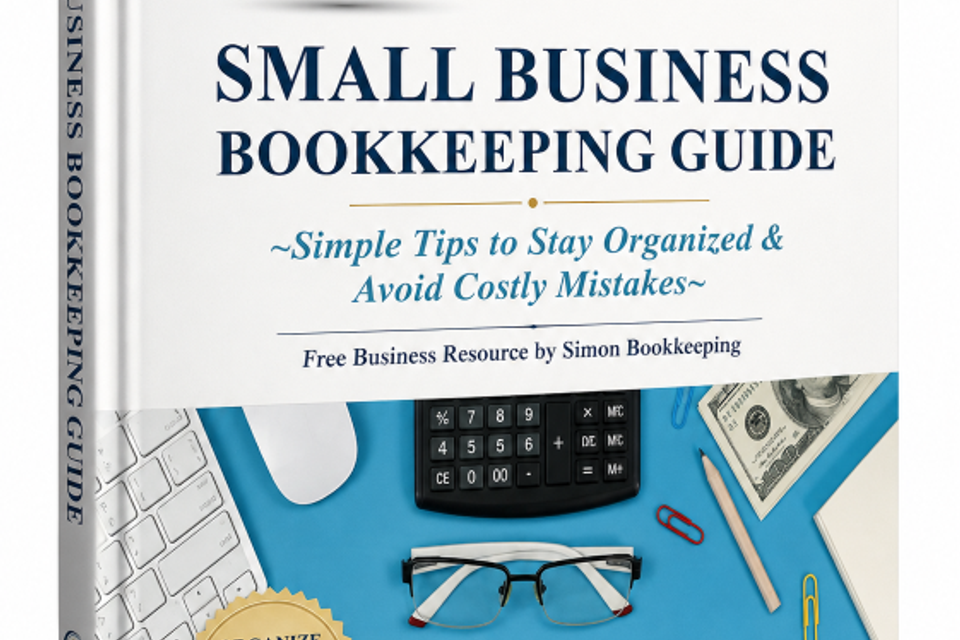
Book cover  50

Free Small Business Bookkeeping Guide

Running a business is hard enough without wondering whether your bookkeeping is accurate, organized, and up to date.

That's why I created the Small Business Bookkeeping Guide — a practical, easy-to-understand resource designed specifically for small business owners, startups, freelancers, and entrepreneurs who want better control of their finances without getting buried in accounting jargon.

Inside this free guide, you'll learn:
✅ Simple habits that keep your books organized year-round
✅ Common bookkeeping mistakes that can lead to costly problems
✅ What financial reports you should review regularly
✅ How proper bookkeeping helps you make better business decisions
✅ Tips for preparing for tax season with less stress
✅ Warning signs that your bookkeeping system may need attention

Whether you're handling your own bookkeeping or working with a professional, this guide will help you better understand your numbers and build a stronger financial foundation for your business.

At Simon Bookkeeping, I believe bookkeeping should provide clarity, not confusion. My goal is to help business owners spend less time worrying about their books and more time growing their businesses.

Download your free copy today and start building a more organized, confident, and profitable business.
Get Your Copy Now

Bookkeeping Basics: 7 Steps to Get You Started

The 7 Steps


1. Separate Business and Personal Transactions

Open a dedicated business bank account and avoid mixing personal spending with business expenses.
This makes bookkeeping, taxes, and audits much easier.


2. Choose a Bookkeeping System

  • Spreadsheets (Excel / Google Sheets)
  • Accounting software like QuickBooks Online and Xero
Software automates many tasks and reduces manual work.


3. Decide Between Single-Entry and Double-Entry Bookkeeping

  • Single-entry = simple income/expense tracking
  • Double-entry = every transaction affects at least two accounts
Double-entry is more accurate and is the standard for most businesses.


4. Choose Cash or Accrual Accounting

  • Cash basis records transactions when money moves
  • Accrual basis records income and expenses when earned/incurred

Accrual gives a more accurate picture of profitability, especially for growing businesses.
Regularly enter:
  • sales
  • expenses
  • bills
  • payments
  • deposits
Include dates, amounts, vendors/customers, and descriptions.


6. Sort Transactions

Categorize transactions into accounts such as:
  • rent
  • utilities
  • advertising
  • meals
  • office supplies
This is what eventually creates financial statements.


7. Store Financial Documents

Keep receipts, invoices, and bank statements organized digitally or physically for taxes and audits.


Two Bonus Tips


1. Budget for Taxes

Set money aside every month for taxes.
The creator even suggests using a separate tax savings account.


2. Reconcile Bank Accounts Regularly

Compare bank statements to bookkeeping records to catch:
  • missing transactions
  • duplicates
  • errors
  • fraud
This is one of the most important bookkeeping habits.

Bookkeeping is mostly about: consistency, organization, and accurate categorization.

You do not need to be an accountant to start — but you do need a repeatable system.


Have bookkeeping questions?  Schedule a quick call today.
Book

How to Add Your Bookkeeper to Your QuickBooks Account

A Simple Guide by Simon Bookkeeping


Managing your finances becomes significantly easier when your bookkeeper has direct access to your books. At Simon Bookkeeping, we help business owners streamline their finances—and one of the first steps is setting up proper access in QuickBooks Online.

In this guide, we’ll walk you through exactly how to add your bookkeeper in just a few minutes.

Why Simon Bookkeeping Recommends Adding a Bookkeeper


Many business owners try to manage access manually, but that often leads to delays and errors. When you properly connect your bookkeeper:
  • You eliminate back-and-forth emails
  • Your financials stay accurate and up to date
  • You get faster, clearer reports
  • Your books are always tax-ready
At Simon Bookkeeping, this is one of the first things we help new clients set up.


Step-by-Step: Add Your Bookkeeper


Follow these steps to securely invite your bookkeeper:


1. Log Into QuickBooks

Sign in to your QuickBooks Online account.


2. Click the Gear Icon ⚙️

In the top right corner, click the Settings (gear icon).


3. Select “Manage Users”

Under the “Your Company” section, click Manage Users.


4. Choose the “Accounting Firms” Tab -This is important.


To work with professionals like Simon Bookkeeping, always use the Accounting Firms tab connected to QuickBooks Online Accountant.


5. Click “Invite”

Press the Invite button to begin.


6. Enter Bookkeeper Details

Add:
  • Email address
  • Name (optional)
If you’re working with us, simply enter your Simon Bookkeeping contact email: s.simon.bookkeeping@gmail.com


7. Send the Invitation

Click Save to send the invite.


8. We Take It From There

Once the invitation is accepted through QuickBooks Online Accountant, Simon Bookkeeping will immediately gain access and begin organizing, reviewing, and improving your books.


What Access Does Simon Bookkeeping Have?


When added correctly:
  • Full access to your financial data
  • No impact on your QuickBooks user limit
  • Ability to fix errors, reconcile accounts, and generate reports
And most importantly—you stay in full control at all times.


Need to Remove Access?

You can revoke access anytime: Go to Manage Users Open the Accounting Firms tab Click Remove
Simple and immediate.


Common Mistakes We See

At Simon Bookkeeping, we often help clients fix these:
  • Adding a bookkeeper as a standard user instead of an accountant
  • Sending the invite to the wrong email
  • Not confirming the invitation was accepted
Avoiding these saves time and frustration.


Pro Tip from Simon Bookkeeping 


Always add your bookkeeper through the Accounting Firms tab. This gives professionals like us access to advanced tools inside QuickBooks Online Accountant—allowing us to serve you faster and more effectively.


Final Thoughts


Setting up your bookkeeper correctly is a small step that makes a big difference. It improves accuracy, saves time, and gives you confidence in your numbers.
At Simon Bookkeeping, we specialize in helping business owners take control of their finances—without the stress.


Ready to Simplify Your Books?

If you’d like help setting up your QuickBooks account or want a professional to handle your bookkeeping:
Simon Bookkeeping is here to help.


Reach out today and let’s get your books working for you—not against you.
Schedule Your Free Consultation
How much does small business bookkeeping cost

How Much Does Small Business Bookkeeping Cost?

If you have ever looked at your bank feed, a stack of receipts, unpaid invoices, and payroll deadlines all at once, you have probably asked the same question: how much does small business bookkeeping cost? The short answer is that it depends on your business size, transaction volume, and how clean your books are to begin with. For most small businesses, monthly bookkeeping can range from a few hundred dollars to well over a thousand.

That range sounds broad because bookkeeping is not one fixed task. A solo consultant with 40 transactions a month will not need the same level of support as a retailer managing sales tax, payroll, inventory, and several bank and credit card accounts. The real question is not just what bookkeeping costs, but what level of service your business actually needs.


How much does small business bookkeeping cost each month?


For many small businesses, ongoing bookkeeping services fall somewhere between $300 and $2,500 per month. At the lower end, you are usually looking at a very simple business with limited activity, no payroll, and a relatively clean accounting system. At the higher end, the business may have multiple accounts, many monthly transactions, contractor payments, inventory, loan tracking, and detailed reporting needs.

Some bookkeepers charge a flat monthly fee. Others bill hourly, often in the range of $40 to $100 or more per hour depending on experience, service scope, and location. A flat monthly rate is often easier for small business owners because it makes budgeting more predictable and encourages consistent support instead of waiting until problems pile up.

If your books are behind, catch-up or cleanup work is usually priced separately. That cost can range from a few hundred dollars for minor corrections to several thousand if months of records need to be organized, reconciled, and repaired.


What affects bookkeeping costs?


Bookkeeping pricing is driven less by your revenue and more by your financial activity. Two companies can each make $500,000 a year and have very different bookkeeping needs.


Transaction volume


The number of transactions flowing through your accounts each month is one of the biggest pricing factors. More deposits, expenses, transfers, credit card charges, and vendor payments mean more categorization, review, and reconciliation work.

A service business with a few clients and low overhead is usually simpler to manage than a business with daily sales, multiple payment platforms, and lots of expense categories.


Number of accounts and systems


If your business uses one bank account and one credit card, bookkeeping is usually straightforward. If you use multiple bank accounts, merchant processors, lines of credit, loan accounts, and payroll systems, the work becomes more involved.

The same is true if your bookkeeper needs to coordinate across QuickBooks, payment apps, point-of-sale software, e-commerce tools, or inventory systems.


Payroll


Payroll often increases bookkeeping costs because it adds compliance, reporting, tax payment tracking, and account reconciliation. Even if payroll is processed through separate software, the transactions still need to be recorded correctly in your books.

If you have employees in multiple states or a mix of employees and contractors, that complexity can push the monthly fee higher.


Accounts payable and accounts receivable


Basic bookkeeping may only include recording transactions and reconciling accounts. More involved support might also include invoicing customers, tracking unpaid invoices, entering bills, and managing vendor due dates.

That extra support can save a business owner serious time, but it also changes the scope of the engagement.


Cleanup work and organization level


Bookkeeping is more affordable when your records are already in decent shape. If accounts have not been reconciled for months, transactions are uncategorized, or personal and business spending are mixed together, the cost goes up.

This is one reason many business owners benefit from regular monthly service. Staying current is usually far less expensive than fixing a year of disorder right before tax season.


Common bookkeeping pricing models


The right pricing model depends on how predictable your bookkeeping needs are.

Hourly billing can work well for short-term projects, one-time cleanups, or occasional support. The trade-off is that your monthly cost can vary, and you may hesitate to ask questions if every task increases the bill.

Flat-rate monthly bookkeeping is often a better fit for ongoing support. It gives you a clear expectation of cost and usually includes a defined scope, such as transaction categorization, reconciliations, monthly financial reports, and limited communication.

Some firms also create custom packages based on business size and service level. For example, a startup may need only monthly bookkeeping and financial statements, while a growing company may also need payroll support, 1099 filing, QuickBooks guidance, and more hands-on reporting.


What is usually included in monthly bookkeeping?


This varies by provider, so it is worth asking for a clear list. In many cases, monthly bookkeeping includes recording and categorizing transactions, reconciling bank and credit card accounts, reviewing the general ledger, and preparing core financial reports such as the profit and loss statement and balance sheet.

Some providers also include communication about unusual transactions, help with QuickBooks organization, or coordination with your tax preparer. Others price those services separately.

This is where business owners sometimes get tripped up. A low monthly quote may sound appealing, but if it excludes reconciliations, reporting, payroll entries, or year-end support, the real cost may be higher than expected.


How much does small business bookkeeping cost compared to hiring in-house?


For most small businesses, outsourced bookkeeping is significantly more affordable than hiring an internal employee. A part-time or full-time in-house bookkeeper brings salary costs, payroll taxes, training, software access, and management time.

Outsourced support gives you access to experience without having to build that function internally. It can also be easier to scale. If your business grows, the service level can grow with it. If your activity is still relatively light, you do not have to pay for more staffing than you need.

That said, very high-volume businesses or companies with complex daily accounting needs may eventually benefit from an internal finance role. For many startups and growing businesses, though, outsourced bookkeeping is the more practical and cost-effective option.


When cheaper bookkeeping becomes expensive


Cost matters, but accuracy matters more. If bookkeeping is rushed, inconsistent, or incomplete, you can end up paying in other ways. Tax filings may be delayed, financial reports may be unreliable, and cash flow decisions may be made using bad information.

Low-cost bookkeeping can also create extra work for your CPA, which may increase year-end accounting fees. A bargain monthly rate is not much of a bargain if your books need repeated corrections.

Reliable bookkeeping should help you stay organized, compliant, and confident in your numbers. That is especially important if you are applying for financing, managing payroll, or trying to understand whether the business is actually profitable.


How to choose the right level of bookkeeping support


A good starting point is to look at your monthly transaction count, whether you run payroll, how many accounts need reconciliation, and whether your books are already current. Then consider how involved you want your bookkeeping partner to be.

Some business owners only want clean books and monthly reports. Others want a more hands-on relationship with support for QuickBooks, payroll coordination, 1099s, and financial questions that come up during the month.

If you are comparing providers, ask what is included, how cleanup work is handled, how often reports are delivered, and whether the pricing changes as your business grows. Clear expectations matter as much as the monthly fee.

For businesses that want dependable ongoing support, personalized service, and certified QuickBooks expertise, working with a firm like Simon Bookkeeping can bring more than organized records. It can create a steadier financial foundation that saves time and reduces stress.


A realistic way to think about bookkeeping cost


Bookkeeping is not just an expense line. It is part of how your business stays functional. Clean records help you understand margins, prepare for taxes, manage payroll, and make better decisions without second-guessing the numbers.

If your books are simple, your monthly cost may stay modest. If your operations are more complex, the price will rise, but so does the value of having accurate financial information and fewer compliance headaches. The best question is not only how much bookkeeping costs, but what it will cost your business if the books are wrong, late, or ignored for too long.

A helpful next step is to get a quote based on your actual business activity, not a generic estimate. Once the scope is clear, the right bookkeeping support tends to pay for itself in time saved, errors avoided, and peace of mind.
Schedule Your Free Consultation

Understanding the Chart of Accounts in QuickBooks Online

If you’re new to bookkeeping, the phrase “Chart of Accounts” may sound intimidating. But in reality, it’s simply the foundation of how your business organizes money inside QuickBooks Online.
Think of it as the filing cabinet for your finances.
Every dollar your business earns, spends, owns, or owes gets assigned to an account in the Chart of Accounts. Once you understand how it works, reading reports and keeping organized books becomes much easier.


What Is a Chart of Accounts?

A Chart of Accounts (often called the “COA”) is a complete list of all the financial accounts used by your business.
It helps organize:
  • Money you own
  • Money you owe
  • Income you receive
  • Expenses you pay
When you record transactions in QuickBooks, they are categorized into these accounts automatically or manually.

For example:

Transaction

A) Customer pays invoice
B) Buy office supplies
C) Purchase equipment
D) Pay credit card bill

Accounts Affected

A) Bank Account + Income
B) Bank Account + Office Supplies Expense
C) Bank Account + Fixed Asset
D) Bank Account + Credit Card Liability

Every transaction affects at least two accounts.


The Main Types of Accounts


The Chart of Accounts is divided into several major categories.
 

1. Assets

Assets are things your business owns.
Examples:
  • Checking accounts
  • Savings accounts
  • Accounts receivable
  • Equipment
  • Vehicles
  • Inventory
These accounts usually show current balances because they represent what your business has right now.
 

2. Liabilities

Liabilities are amounts your business owes.
Examples:
  • Credit cards
  • Loans
  • Payroll taxes payable
  • Sales tax payable
These accounts also show balances because they represent debts or obligations.
 

3. Equity

Equity represents the owner’s value in the business.
Examples:
  • Owner investment
  • Owner draws
  • Retained earnings
Equity accounts help track money the owner puts into or takes out of the company.
 

4. Income

Income accounts track money coming into the business.
Examples:
  • Sales income
  • Service revenue
  • Consulting income
These accounts feed directly into your Profit & Loss report.
 

5. Expenses

Expense accounts track money leaving the business.
Examples:
  • Rent
  • Utilities
  • Office supplies
  • Advertising
  • Insurance
Unlike bank accounts, expense accounts usually do not show ongoing balances. Instead, they track totals for a specific time period, such as a month or year.
 

Why Some Accounts Show Balances — and Others Don’t


One of the most confusing parts for beginners is understanding why certain accounts show balances while others only appear on reports.


Balance Sheet Accounts

These include:
  • Assets
  • Liabilities
  • Equity
These accounts show what your business owns or owes at a specific moment in time.


Profit & Loss Accounts

These include:
  • Income
  • Expenses
  • Cost of Goods Sold
These accounts track activity over a period of time rather than a running lifetime balance.
 

How the Chart of Accounts Affects Your Reports


Your financial reports are built directly from your
Chart of Accounts.


Profit & Loss Report

Shows:
  • Income
  • Expenses
  • Net profit


Balance Sheet

Shows:
  • Assets
  • Liabilities
  • Equity
If transactions are categorized incorrectly, your reports will also be incorrect.
For example:
  • Buying equipment and recording it as an expense may distort profit
  • Recording a loan payment incorrectly may affect liabilities
  • Misclassifying owner withdrawals can create tax issues
This is why having a clean, organized Chart of Accounts matters.
 

Keep Your Chart of Accounts Simple


One of the biggest mistakes small businesses make is creating too many accounts.
It may seem helpful at first, but over complicated account lists often create confusion later.
Instead of creating dozens of similar expense accounts, keep things organized and simple.
Good examples:
  • Office Supplies
  • Advertising
  • Software Subscriptions
  • Meals
  • Utilities
Avoid unnecessary duplicates like:
  • Office Pens
  • Printer Ink Purchases
  • Miscellaneous Small Office Purchases
  • Simple bookkeeping is usually more accurate bookkeeping.


Subaccounts Can Help

QuickBooks also allows subaccounts.
Example:
  • Meals
    • Meals – 50% Deductible
    • Meals – 100% Deductible
    • Meals – Non-Deductible
This keeps reports cleaner while still giving detailed tracking.
 

Should You Use Account Numbers?


QuickBooks Online does not require account numbers by default, but you can enable them.
Some accountants prefer numbered accounts because they help keep financial statements organized.
Example numbering structure:

Range  Account Type
1000s   Assets
2000s   Liabilities
3000s   Equity
4000s   Income
5000s   Expenses


Best Practice: Work With a Bookkeeper or Accountant


QuickBooks comes with default accounts already created, but every business is different.

A restaurant, contractor, consultant, and online store all need different reporting structures.
A properly designed Chart of Accounts helps you:
  • Understand profitability
  • Prepare taxes more easily
  • Track business performance
  • Make better decisions
  • Avoid bookkeeping confusion later
 

Final Thoughts


The Chart of Accounts is the backbone of your bookkeeping system in QuickBooks Online.
Once it’s organized correctly, everything else becomes easier:
  • Categorizing transactions
  • Reading reports
  • Understanding profit
  • Preparing for taxes

The goal is not to create the most complicated system possible — it’s to create a system that gives you clear, useful financial information.
If your Chart of Accounts feels messy or confusing, cleaning it up can dramatically improve your bookkeeping and reporting.


Helpful Resources

 
Book Your Free Consultation

The Meaning of Numbers in Our Lives

Numbers serve as essential tools for simplifying complex realities in personal, business, and societal contexts. Earl Kay Stice explains how measurements profoundly influence behavior, from managing health to driving financial decisions. shaping the world we live in.

From Our Facebook Page

Be sure to like, follow, and stay up to date with us.

Stay Connected

Follow us on Social Media
Tax transition3

Get Your Bookkeeping Done Right in Hackensack, NJ & Nationwide

Maximize savings and stay compliant with expert bookkeeping and tax preparation services for small businesses in Hackensack, NJ, Bergen County, and nationwide. Simon Bookkeeping helps you stay organized year-round, uncover every eligible deduction, and keep your financial records accurate—so you can focus on growing your business with confidence.

Schedule Your Free Consultation