Skip to content

Blog

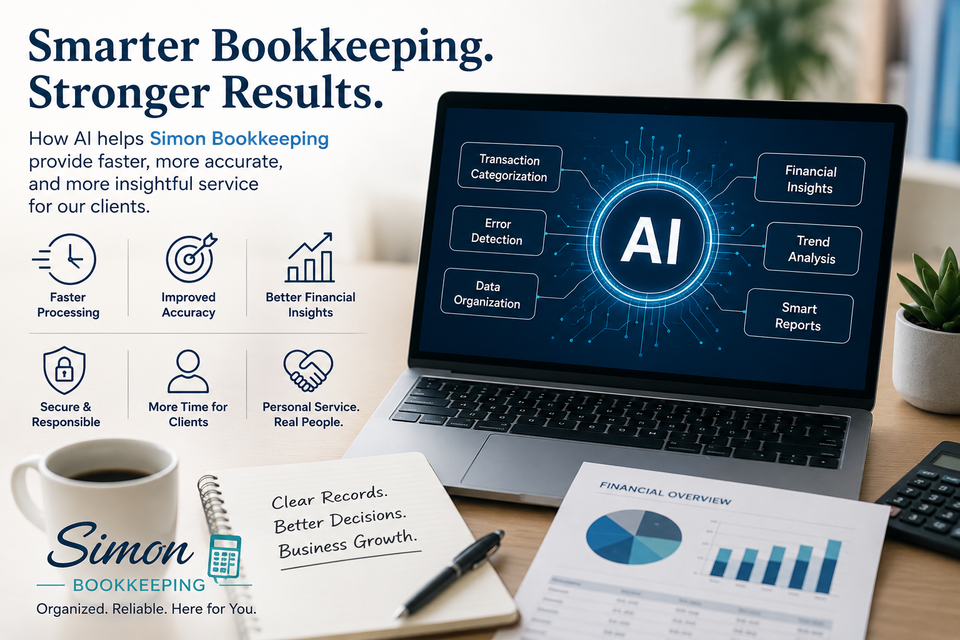
Smarter bookkeeping stronger results

How Simon Bookkeeping Uses AI to Better Serve Clients


In today’s fast-moving business world, bookkeeping is no longer just about entering numbers into software. Modern technology has changed the way financial information is organized, reviewed, and managed. At Simon Bookkeeping, we embrace the responsible use of Artificial Intelligence (AI) tools to provide faster, more accurate, and more efficient service for our clients — while still keeping the personal attention and human judgment that businesses deserve.
 

What AI Means for Bookkeeping


Artificial Intelligence is not a replacement for professional bookkeeping. Instead, it is a powerful tool that helps streamline repetitive tasks, improve organization, and uncover useful insights more quickly.

By combining AI-powered technology with real bookkeeping expertise, Simon Bookkeeping can focus more time on what truly matters:
  • Helping clients understand their finances
  • Catching potential issues early
  • Improving accuracy
  • Saving business owners valuable time
 

How Simon Bookkeeping Uses AI


Faster Transaction Organization


AI-assisted bookkeeping tools can help recognize and categorize transactions more efficiently. This speeds up data processing and helps maintain cleaner financial records.

Of course, automation alone is never enough. Every business is different, which is why human review remains essential. Simon Bookkeeping carefully reviews financial data to ensure transactions are properly categorized and aligned with each client’s business needs.


Improved Accuracy and Error Detection


One of the biggest advantages of AI technology is its ability to identify unusual patterns or inconsistencies quickly. This helps:
  • Detect duplicate transactions
  • Spot missing information
  • Identify possible misclassifications
  • Reduce manual data-entry errors
Early detection can prevent small bookkeeping issues from turning into larger financial problems later.
 

Better Financial Insights


Modern AI tools can help organize financial information into clearer reports and summaries. This allows Simon Bookkeeping to provide clients with more meaningful insights into:
  • Cash flow trends
  • Expense patterns
  • Profitability
  • Financial organization
Instead of simply recording numbers, we help clients better understand what those numbers mean for their business.
 

Increased Efficiency = More Client Focus


By reducing time spent on repetitive administrative tasks, AI allows Simon Bookkeeping to dedicate more attention to client communication, support, and problem-solving.
That means clients receive:
  • Faster response times
  • More organized financial records
  • Greater attention to detail
  • More time for personalized service
Technology improves efficiency, but relationships still come first.
 

Secure and Responsible Use of Technology


At Simon Bookkeeping, technology is used carefully and responsibly. AI tools are meant to assist the bookkeeping process — not replace professional oversight, confidentiality, or ethical standards.
Human judgment remains essential when reviewing financial information, understanding business context, and making bookkeeping decisions.


The Human Side Still Matters


Bookkeeping is more than software and automation. Business owners need someone they can trust to help keep their records organized and understandable.
That’s why Simon Bookkeeping combines:
  • Modern technology
  • Professional attention to detail
  • Personalized support
  • Real human communication
The goal is simple: provide clients with efficient bookkeeping services while helping them feel more confident and informed about their business finances.
 

Looking Ahead


Technology continues to evolve, and Simon Bookkeeping is committed to staying current with tools that can improve service quality, accuracy, and efficiency for clients.

AI is not about replacing people — it’s about using smarter tools to deliver better bookkeeping support.

If you are looking for organized, modern, and reliable bookkeeping services, Simon Bookkeeping is here to help your business stay financially organized and focused on growth.
Book Your Free Consultation Read Full Article

Understanding the Chart of Accounts in QuickBooks Online

If you’re new to bookkeeping, the phrase “Chart of Accounts” may sound intimidating. But in reality, it’s simply the foundation of how your business organizes money inside QuickBooks Online.
Think of it as the filing cabinet for your finances.
Every dollar your business earns, spends, owns, or owes gets assigned to an account in the Chart of Accounts. Once you understand how it works, reading reports and keeping organized books becomes much easier.


What Is a Chart of Accounts?

A Chart of Accounts (often called the “COA”) is a complete list of all the financial accounts used by your business.
It helps organize:
  • Money you own
  • Money you owe
  • Income you receive
  • Expenses you pay
When you record transactions in QuickBooks, they are categorized into these accounts automatically or manually.

For example:

Transaction

A) Customer pays invoice
B) Buy office supplies
C) Purchase equipment
D) Pay credit card bill

Accounts Affected

A) Bank Account + Income
B) Bank Account + Office Supplies Expense
C) Bank Account + Fixed Asset
D) Bank Account + Credit Card Liability

Every transaction affects at least two accounts.


The Main Types of Accounts


The Chart of Accounts is divided into several major categories.
 

1. Assets

Assets are things your business owns.
Examples:
  • Checking accounts
  • Savings accounts
  • Accounts receivable
  • Equipment
  • Vehicles
  • Inventory
These accounts usually show current balances because they represent what your business has right now.
 

2. Liabilities

Liabilities are amounts your business owes.
Examples:
  • Credit cards
  • Loans
  • Payroll taxes payable
  • Sales tax payable
These accounts also show balances because they represent debts or obligations.
 

3. Equity

Equity represents the owner’s value in the business.
Examples:
  • Owner investment
  • Owner draws
  • Retained earnings
Equity accounts help track money the owner puts into or takes out of the company.
 

4. Income

Income accounts track money coming into the business.
Examples:
  • Sales income
  • Service revenue
  • Consulting income
These accounts feed directly into your Profit & Loss report.
 

5. Expenses

Expense accounts track money leaving the business.
Examples:
  • Rent
  • Utilities
  • Office supplies
  • Advertising
  • Insurance
Unlike bank accounts, expense accounts usually do not show ongoing balances. Instead, they track totals for a specific time period, such as a month or year.
 

Why Some Accounts Show Balances — and Others Don’t


One of the most confusing parts for beginners is understanding why certain accounts show balances while others only appear on reports.


Balance Sheet Accounts

These include:
  • Assets
  • Liabilities
  • Equity
These accounts show what your business owns or owes at a specific moment in time.


Profit & Loss Accounts

These include:
  • Income
  • Expenses
  • Cost of Goods Sold
These accounts track activity over a period of time rather than a running lifetime balance.
 

How the Chart of Accounts Affects Your Reports


Your financial reports are built directly from your
Chart of Accounts.


Profit & Loss Report

Shows:
  • Income
  • Expenses
  • Net profit


Balance Sheet

Shows:
  • Assets
  • Liabilities
  • Equity
If transactions are categorized incorrectly, your reports will also be incorrect.
For example:
  • Buying equipment and recording it as an expense may distort profit
  • Recording a loan payment incorrectly may affect liabilities
  • Misclassifying owner withdrawals can create tax issues
This is why having a clean, organized Chart of Accounts matters.
 

Keep Your Chart of Accounts Simple


One of the biggest mistakes small businesses make is creating too many accounts.
It may seem helpful at first, but over complicated account lists often create confusion later.
Instead of creating dozens of similar expense accounts, keep things organized and simple.
Good examples:
  • Office Supplies
  • Advertising
  • Software Subscriptions
  • Meals
  • Utilities
Avoid unnecessary duplicates like:
  • Office Pens
  • Printer Ink Purchases
  • Miscellaneous Small Office Purchases
  • Simple bookkeeping is usually more accurate bookkeeping.


Subaccounts Can Help

QuickBooks also allows subaccounts.
Example:
  • Meals
    • Meals – 50% Deductible
    • Meals – 100% Deductible
    • Meals – Non-Deductible
This keeps reports cleaner while still giving detailed tracking.
 

Should You Use Account Numbers?


QuickBooks Online does not require account numbers by default, but you can enable them.
Some accountants prefer numbered accounts because they help keep financial statements organized.
Example numbering structure:

Range  Account Type
1000s   Assets
2000s   Liabilities
3000s   Equity
4000s   Income
5000s   Expenses


Best Practice: Work With a Bookkeeper or Accountant


QuickBooks comes with default accounts already created, but every business is different.

A restaurant, contractor, consultant, and online store all need different reporting structures.
A properly designed Chart of Accounts helps you:
  • Understand profitability
  • Prepare taxes more easily
  • Track business performance
  • Make better decisions
  • Avoid bookkeeping confusion later
 

Final Thoughts


The Chart of Accounts is the backbone of your bookkeeping system in QuickBooks Online.
Once it’s organized correctly, everything else becomes easier:
  • Categorizing transactions
  • Reading reports
  • Understanding profit
  • Preparing for taxes

The goal is not to create the most complicated system possible — it’s to create a system that gives you clear, useful financial information.
If your Chart of Accounts feels messy or confusing, cleaning it up can dramatically improve your bookkeeping and reporting.


Helpful Resources

 
Book Your Free Consultation Read Full Article
Book cover  50

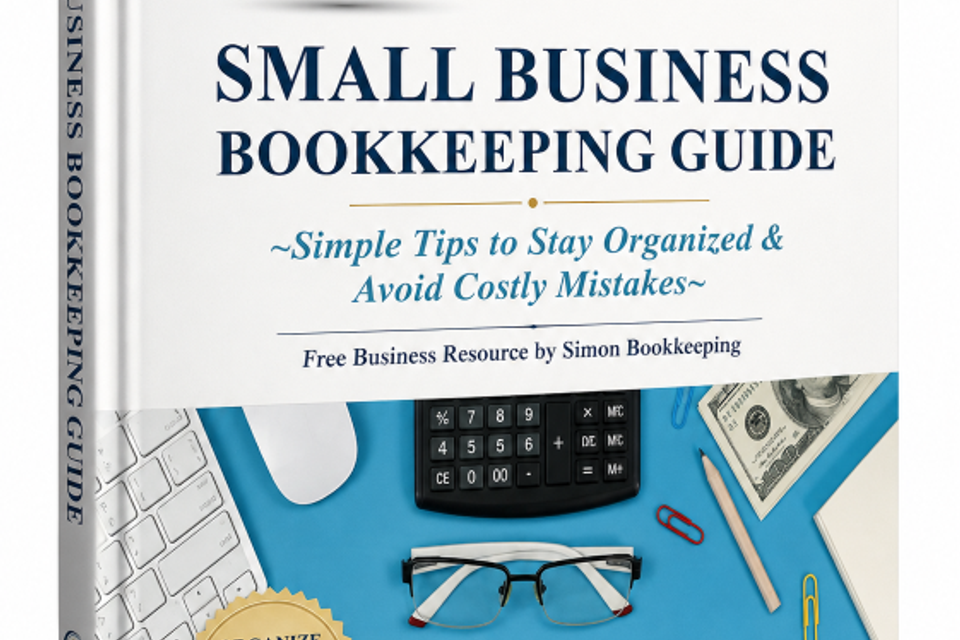
Free Small Business Bookkeeping Guide

Running a business is hard enough without wondering whether your bookkeeping is accurate, organized, and up to date.

That's why I created the Small Business Bookkeeping Guide — a practical, easy-to-understand resource designed specifically for small business owners, startups, freelancers, and entrepreneurs who want better control of their finances without getting buried in accounting jargon.

Inside this free guide, you'll learn:
✅ Simple habits that keep your books organized year-round
✅ Common bookkeeping mistakes that can lead to costly problems
✅ What financial reports you should review regularly
✅ How proper bookkeeping helps you make better business decisions
✅ Tips for preparing for tax season with less stress
✅ Warning signs that your bookkeeping system may need attention

Whether you're handling your own bookkeeping or working with a professional, this guide will help you better understand your numbers and build a stronger financial foundation for your business.

At Simon Bookkeeping, I believe bookkeeping should provide clarity, not confusion. My goal is to help business owners spend less time worrying about their books and more time growing their businesses.

Download your free copy today and start building a more organized, confident, and profitable business.
Get Your Copy Now Read Full Article